Download the Official 1rokok App – Full Access to Games & Betting Straight from Your Phone

Enjoy a faster, smoother, and more comfortable gaming experience with the official 1rokok mobile app. Available for Android and iOS devices, free to download.

Register & Start Playing Login

Why Download the 1rokok App?

The days of relying solely on a web browser to play are over. Today, Malaysian users increasingly prefer mobile apps for a far smoother experience, a more responsive interface, and faster access to all their favourite platform features. That is why 1rokok has invested fully in developing a mobile app genuinely designed for everyday use by local users.

With the app 1rokok, you no longer need to open a browser, type in an address, or wait for pages to load from scratch every time. Everything you need — from slot games, fish shooting, sports betting, to deposits and withdrawals — is all in one lightweight, easy-to-use app.

Whether you use a Samsung, Xiaomi, OPPO, Vivo, or iPhone, the app runs smoothly on virtually all devices running Android 6.0 and above or iOS 13 and above. The small file size ensures installation completes in under two minutes.

Note for Android users: Since the 1rokok app is distributed directly (not via the Google Play Store), you need to enable "Unknown Sources" in your device settings before installing the APK file. This is a safe and common step for online entertainment apps.
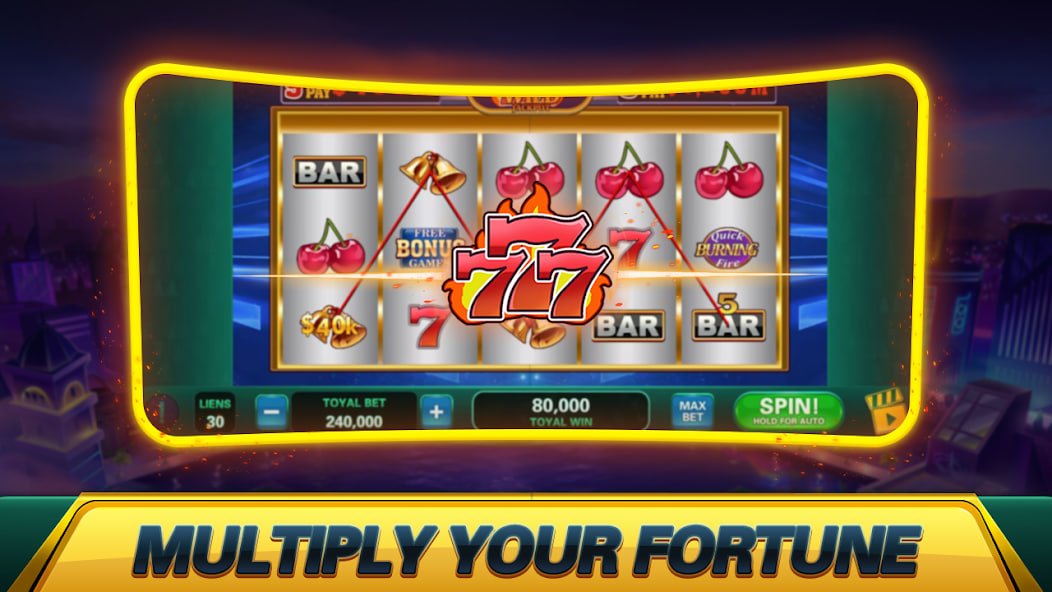

1rokok
The 1rokok mobile app gives you full access to all games and platform services.

Choose Your Platform

The 1rokok app is available on two major platforms. Choose based on your device and follow the installation guide provided.

Android APK

Latest Version 4.2.1

Download the official 1rokok APK file and install it directly on your Android device. The installation process is straightforward and completed within minutes.

  • Android 6.0 (Marshmallow) and above
  • File size: approximately 48 MB
  • Storage space required: 120 MB
  • 64-bit & 32-bit Support
  • Automatic in-app updates
Register to Download

IOS (iPhone & iPad)

Latest Version 4.2.0

IPhone and iPad users can install the 1rokok app via a direct installation link. Follow the simple steps to add the configuration profile and start playing.

  • iOS 13.0 and above
  • File size: approximately 52 MB
  • Compatible with iPhone 8 and above
  • Face ID & Touch ID Support
  • Optimised for Retina display
Register to Download

Access via Web Browser

Prefer not to install the app? No problem. You can still enjoy all games and services 1rokok directly via a web browser such as Chrome, Safari, Firefox, or Edge. Our website is fully optimised for mobile access, delivering an experience that comes close to a native app.

How to Install the 1rokok App on Android

Follow these simple steps to install the 1rokok app on your Android device in under three minutes.

  • 1
    Register or Log In to Your Account Make sure you have registered a 1rokok account first. The official APK download link will be available after logging in to your account.
  • 2
    Allow Installation from Unknown Sources Go to Settings > Security > Unknown Sources (or Install Unknown Apps on Android 8 and above) and enable the option for the browser or file manager you are using.
  • 3
    Download APK File Tap the download link provided in your account. The APK file will be automatically downloaded to your device's Downloads folder.
  • 4
    Open and Install the APK File Go to your Downloads folder, tap the newly downloaded APK file, then tap "Install" on the confirmation screen. Wait for the installation to complete.
  • 5
    Open the App and Log In Once installation is complete, the 1rokok icon will appear on your home screen. Open the app, enter your ID and password, and start playing!
1rokok
Installing the 1rokok app on Android is quick and straightforward.
1rokok
The 1rokok app for iOS is optimized for iPhone and iPad.

How to Install the 1rokok App on iPhone & iPad

For iOS users, the installation process differs slightly from Android but remains simple and secure. Here are the steps:

  • 1
    Log In to Your 1rokok Account Open Safari on your iPhone or iPad and log in to your 1rokok account. The iOS-specific download link will be displayed in your account's download section.
  • 2
    Tap the iOS Download Link Tap the installation link provided. You will be prompted to trust the configuration profile required to install the app outside the App Store.
  • 3
    Go to Settings > General > VPN & Device Management Find the 1rokok developer profile in the list and tap "Trust" to allow the app to be installed.
  • 4
    Back to Home Screen The 1rokok app icon will appear on your home screen. Open the app, log in with your existing credentials, and start playing right away.

iOS Tips: Always use Safari (not Chrome or Firefox) to download and install iOS apps to ensure a smooth process without any permission issues.

Key Features of the 1rokok App

Mobile app 1rokok is more than just a scaled-down website. It is built with the latest technology to ensure every user gets a gaming experience that matches — or surpasses — the desktop version.

  • High Performance: The interface is optimized to load games quickly even on moderate 4G or Wi-Fi connections. No lag, no disruptions at critical moments.
  • Access All Games: Over 500 slot games, fish shooting, live casino, and sports betting titles are available directly in the app without needing to switch to the website.
  • Push Notifications: Receive real-time notifications for exclusive promotions, deposit bonuses, betting results, and withdrawal status directly on your screen.
  • In-App Deposits & Withdrawals: Handle all financial transactions directly from the app — deposit, check your balance, and request withdrawals — without switching to the website.
  • Biometric Login: Supports fingerprint and Face ID authentication for faster, more secure login without typing your password every time.
  • Native Dark Mode: The elegant black-and-gold interface by default ensures your eyes stay comfortable, especially during late-night sessions.
  • Automatic Updates: The app will notify you when a new version is available. Updates run in the background without interrupting your current gaming session.
  • Live Chat Support: Access 1rokok customer support 24/7 directly within the app via the Live Chat button, available on every page.
1rokok
The clean, user-friendly interface of the 1rokok app, suitable for all age groups.

Exclusive Bonus for App Users: Members playing via the mobile app 1rokok are eligible for offers and bonuses not available on the web version. Download now for the full benefits!

App vs Web Browser – What's the Difference?

Both access methods are fully supported by 1rokok. The table below helps you choose the one that best suits your playing style.

Feature Mobile App Web Browser
Load Speed Ultra fast Moderate
Push Notifications Available Not available
Biometric Login Fingerprint & Face ID Not available
Exclusive App Bonus Exclusive promotions available General promotions only
Data Usage Optimized & lightweight Higher
Installation Required Yes (once only) Not required
Compatible with All Devices Android & iOS All devices
Automatic Updates In-app Always up to date

Download FAQ

Yes, the official 1rokok app is completely safe to install. The APK file and iOS installer are released directly by our development team and have undergone rigorous security testing. Make sure you only download from the official links provided within your account — do not trust links from unrecognised third-party sources.

Yes, the 1rokok app is free to download and install. There are no installation charges or subscription fees to use the app. You only need to deposit funds into your account when you want to play with real money.

This issue most commonly occurs because the "Unknown Sources" option has not been enabled. Go to Settings > Security (or Privacy on some devices) and enable the option to allow installation from sources outside the Google Play Store. If the problem persists, ensure your Android version is 6.0 or above and that your device has sufficient storage space. Contact 1rokok support if you are still experiencing difficulties.

Yes, your 1rokok account can be accessed from multiple devices — whether phone, tablet, or computer. However, for account security, we recommend against logging in simultaneously on different devices at the same time. Active sessions on other devices will be automatically terminated when you log in on a new device.

When a new version is available, you will receive an in-app push notification or see a notification banner when opening the app. Tap "Update Now" and the latest version will be downloaded and installed automatically. On Android, the process works just like installing a new APK; on iOS, it is handled automatically by the system.

Yes, all games available on the 1rokok website can also be played through the mobile app. This includes slot games, fish shooting, live casino, sports wagering, and card games. App users also get early access to new games and features before they are officially launched on the website.

Download Now & Enjoy Exclusive App User Bonuses

Register your 1rokok account today, download our official app, and claim an exclusive welcome bonus available only to mobile app users. Thousands of Malaysian users have already experienced the difference.

Register an Account Now Log In to Existing Account
Bahasa Melayu